
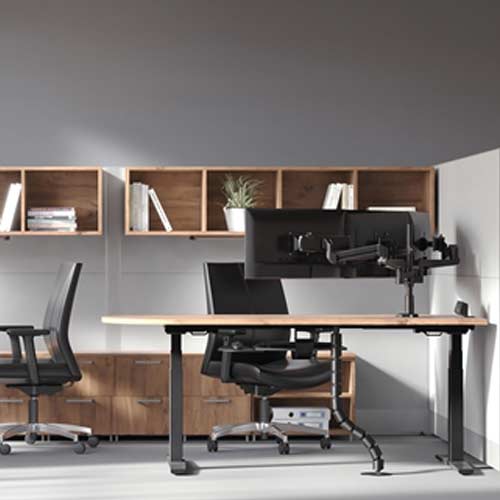
Choosing an office chair sounds simple until you actually start looking into it — and then you quickly realize just how many options, features, and price points exist. The truth is that the way you use office chairs matters just as much as which ones you buy. Even the most expensive, feature-packed chair in the world won’t help you if it’s not adjusted correctly or if the people using it don’t know how to set it up for their own body. Getting both the selection and the usage right is what actually delivers the health and comfort benefits that ergonomic seating promises.
Let’s talk about the key features worth paying attention to when choosing chairs for your office. Lumbar support is non-negotiable; this is the part of the chair that follows the natural inward curve of your lower spine and keeps it supported throughout the day. Some chairs have fixed lumbar support, while others let you adjust the height and depth of it to match your specific back shape. Adjustable lumbar support is generally worth the extra cost, especially in environments where multiple people share the same workstation at different times of the day. According to guidance published by Mayo Clinic’s office ergonomics resource, chair height adjustment is equally critical; your feet should rest flat on the floor with your thighs parallel to the ground, and a chair that can’t reach that position isn’t doing its job.
Seat depth and width are often overlooked, but they matter a lot for all-day comfort. A seat that’s too deep pushes the backrest so far away that you lose contact with the lumbar support entirely and end up hunching forward. A seat that’s too shallow leaves your thighs without enough support and shifts too much pressure onto your lower back. Ideally, there should be a two-to-three-inch gap between the front edge of the seat and the back of your knees when you’re sitting fully back in the chair. That gap allows circulation to flow freely and prevents the edge of the seat from pressing into the back of your legs over long periods of sitting.
Armrests are another feature worth thinking carefully about. They should support your arms at a height that lets your shoulders relax fully downward; if the armrests force your shoulders up, they’re doing more harm than good. Many people also find it helpful to have armrests that pivot slightly inward so they can support the arms while typing, rather than only while at rest. Some high-end chairs include 4D armrests that adjust in height, width, depth, and angle, which is genuinely useful in shared workstation environments where different people need different configurations throughout the day.
Material choice affects both comfort and longevity in ways that aren’t always obvious from a product photo. Mesh-backed chairs promote airflow and tend to be cooler and more breathable during longer work sessions, which is a significant advantage in warmer climates or offices without strong air conditioning. Foam-padded seats feel plush initially but can compress over time, reducing support after a year or two of daily use. Higher-density foam or memory foam options tend to hold their shape better and maintain support for longer, making them worth the investment if you’re outfitting chairs that will see heavy daily use from a full team. The Healthline guide to ergonomic hazards points out that seating and workspace design are among the most impactful factors in preventing discomfort during prolonged sitting.
The best chairs combine all of these features with intuitive adjustability so that every person who sits in them regardless of height, weight, or body shape — can quickly find a setup that works for them. Taking 10 minutes to properly adjust a chair when you first sit down is a habit that protects your back, your posture, and your long-term health in ways that compound quietly over years of daily work.